

Tools which I used for this project

My Role
I was responsible for overseeing the entire usability study, managing the end-to-end process from planning to execution and analysis
Responsibilities
Thanks to crypto wallets people can receive or spend their cryptocurrencies. The popularity of crypto wallets is constantly growing, reaching over 28 mln users in September 2018*. Opera believes that cryptocurrencies transactions will become an everyday reality, which is why the company decided to create a platform where it can be done easily and safely. As a result, Opera has become the first major browser with a built-in crypto wallet and opened up to Web 3.0.
Challenges
After positive feedback about crypto payments on mobile, I got a task to find an equally good solution for Opera users with PCs. Firstly, the desktop wallet needs to synchronize with its Android version, which supports Ethereum, tokens, and collectibles.
Secondly, I had to eliminate the need to install complicated extensions or separate applications. For the MVP version, users would be able to handle only one cryptocurrency and would not be able to receive and send money on the desktop.
Solution
Explore the built-in Opera Crypto Wallet
Crypto Wallet is not a functionality that everybody will use, so I had to figure out how to present this new feature to potentially interested users. I decided to show it contextually and visibly as a part of Opera's UI. I didn't want it to be annoying and wanted users to be sure that it is a part of the app, not some sketchy popup. When a user enters websites with cryptocurrency transactions then Opera extends a panel, which allows connecting the user’s crypto wallet.
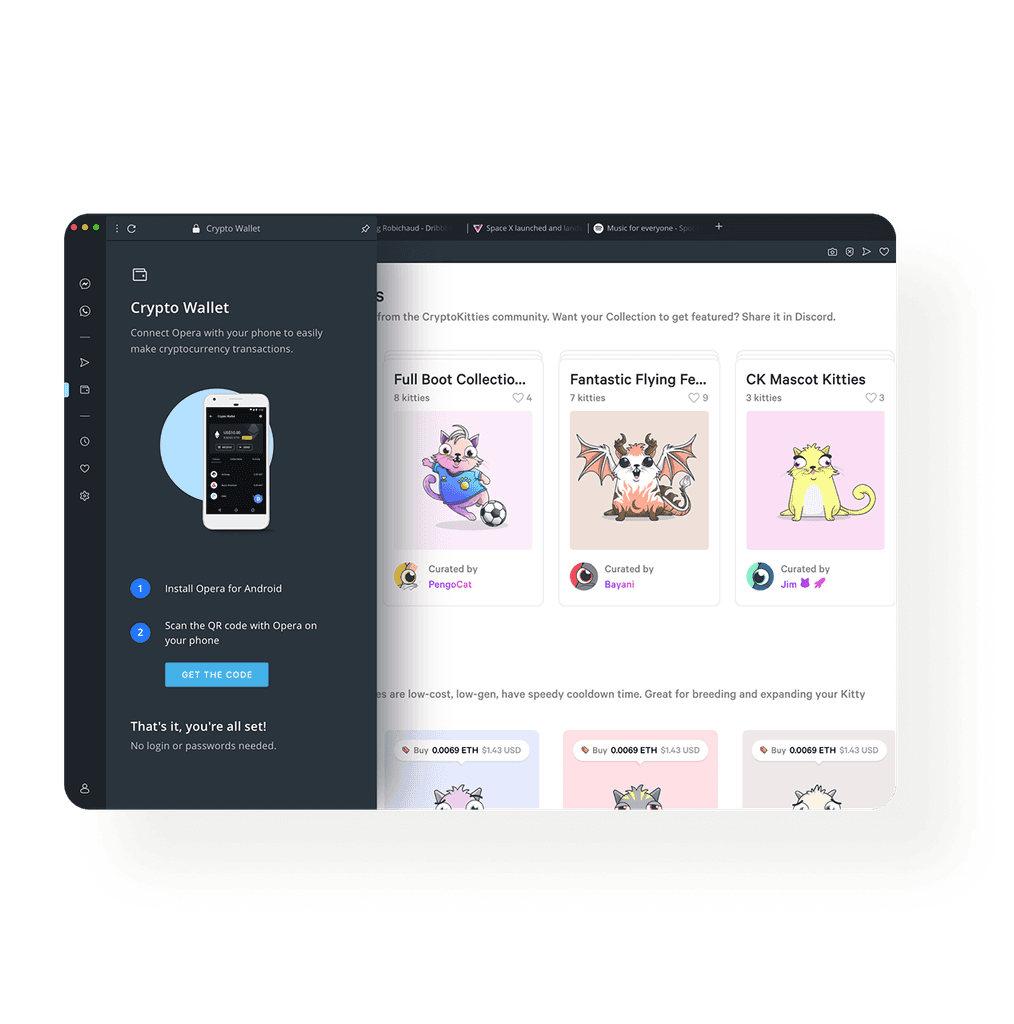
Connect your crypto wallet with the desktop
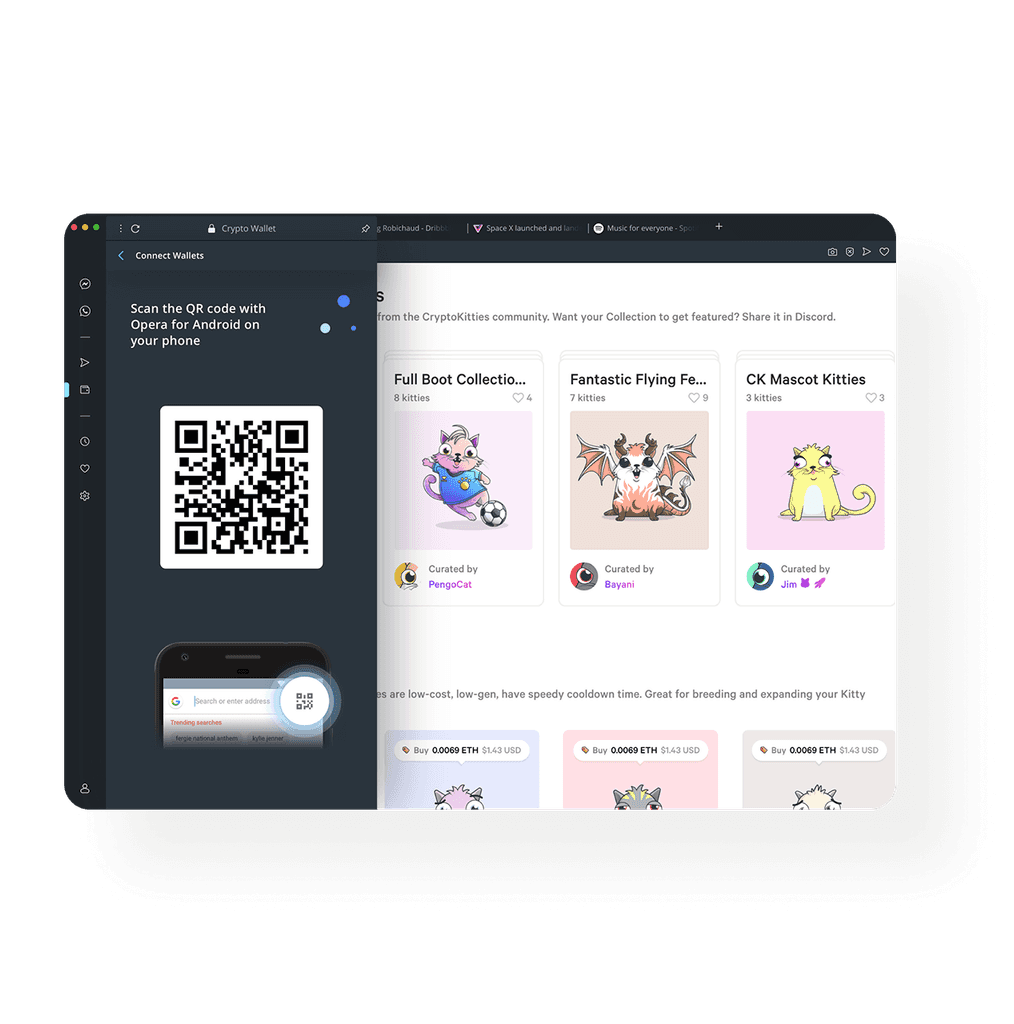
To connect the desktop browser with the wallet enabled on Opera for Android, a user only has to scan a QR code. During hallway testing, I discovered that respondents have a problem with locating the QR code scanner on their phones. To solve this problem, I placed an image in the panel that shows them where to find it. I realize that it’s not rocket science, but still, it has helped users to enable the scanner faster.
Make transactions on your desktop and sign on your mobile
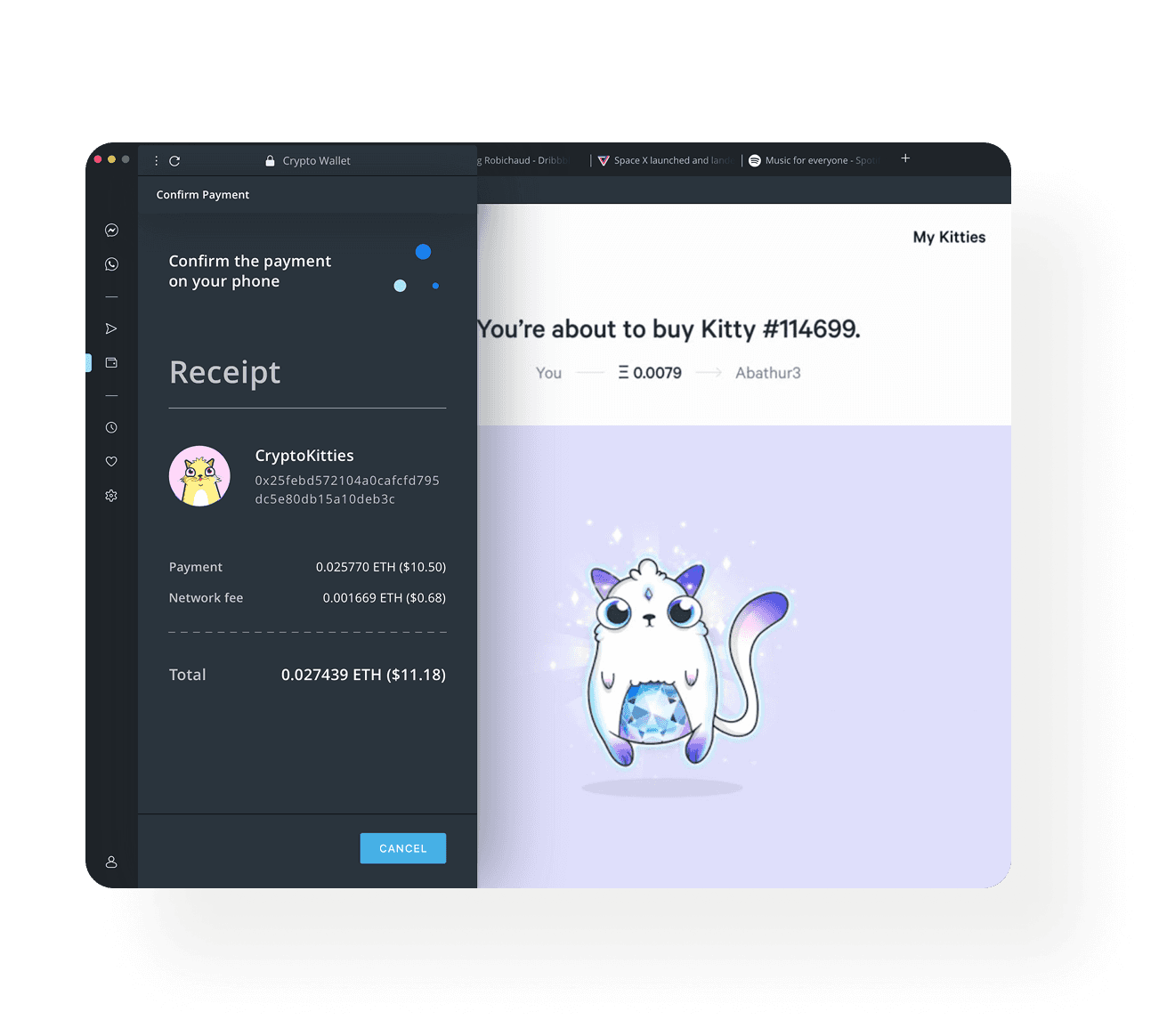
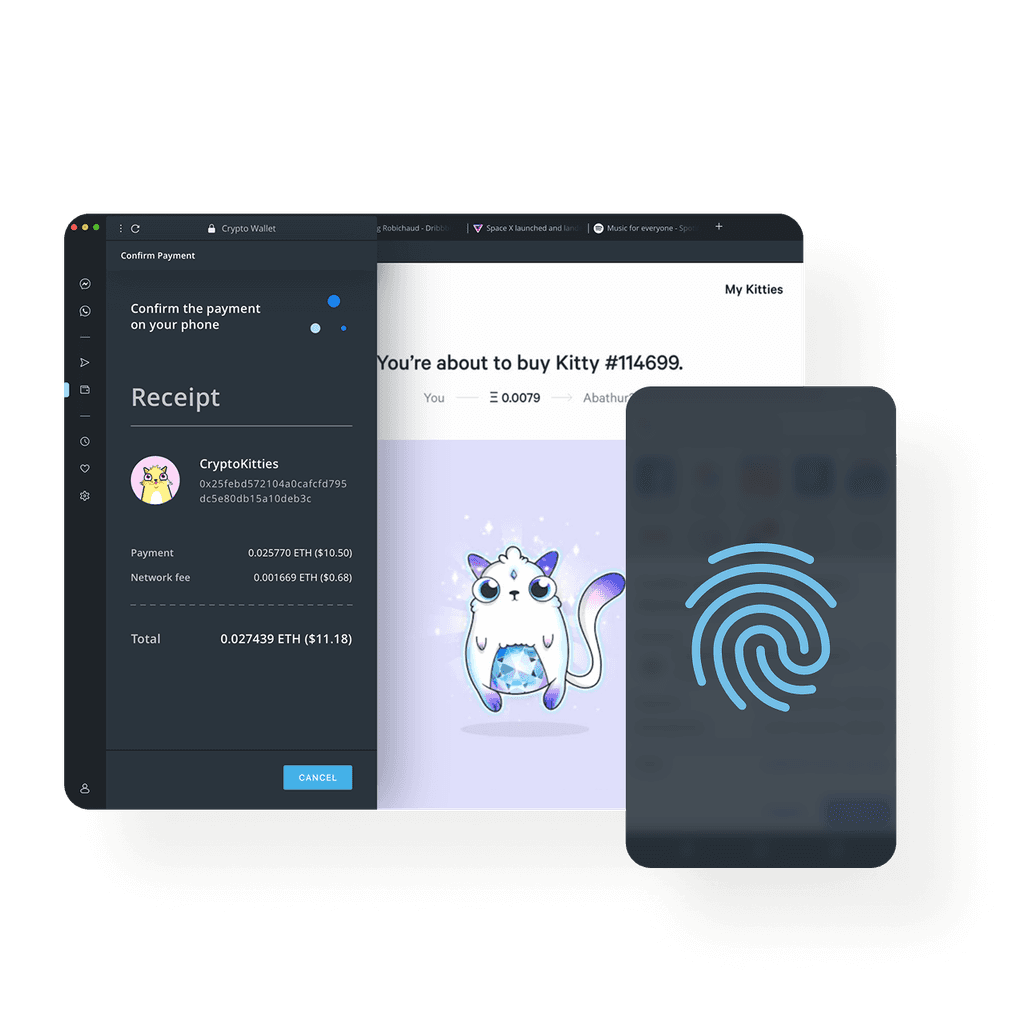
When a user wants to sign a payment, he can do it by clicking the “Buy” button on the desktop and then use a fingerprint reader on his phone, instead of typing a long passphrase. Although the whole transaction runs on the mobile side I decided to show users what is happening step by step with their payment in the desktop panel too.
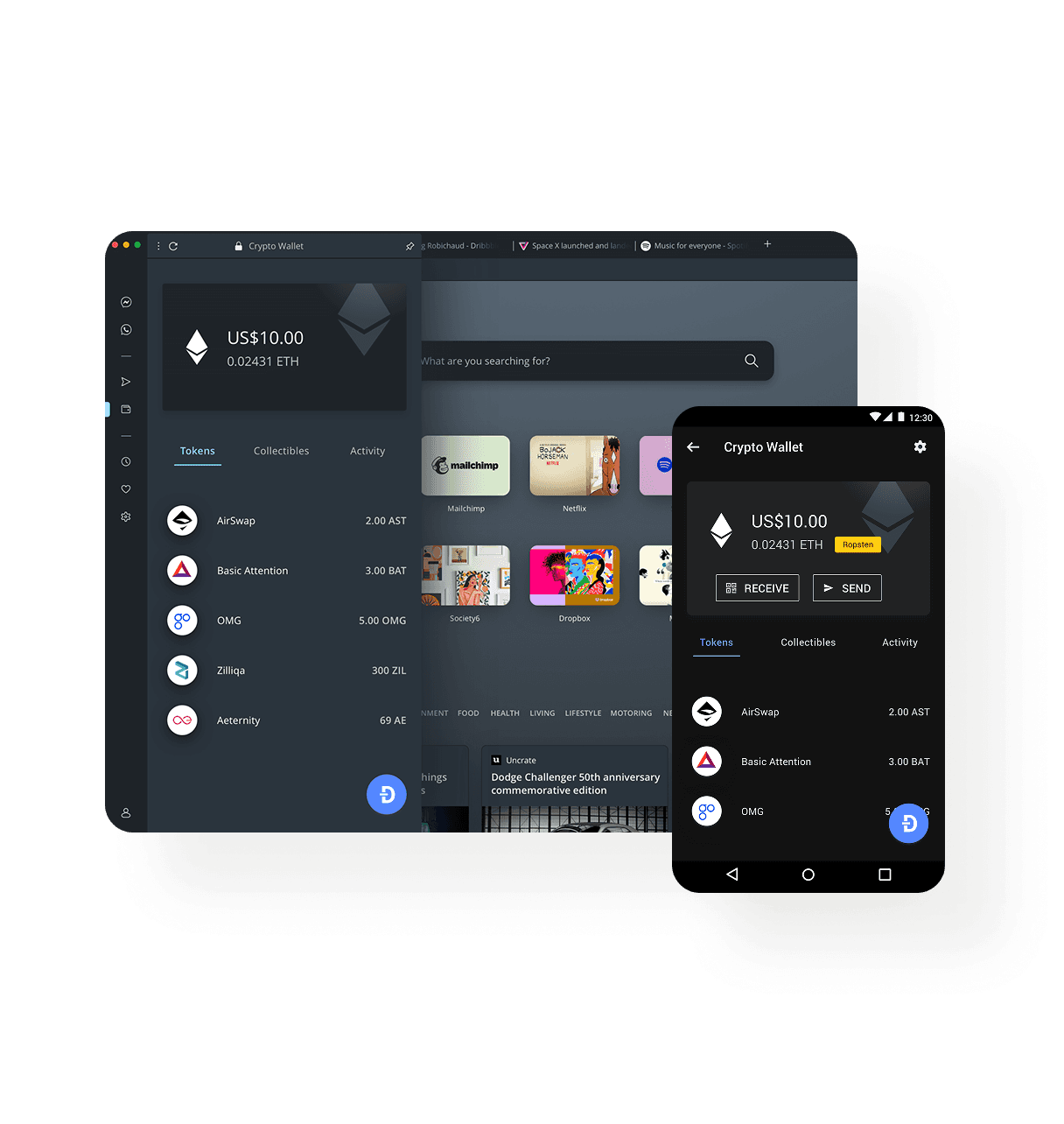
Preview your wallet on any device
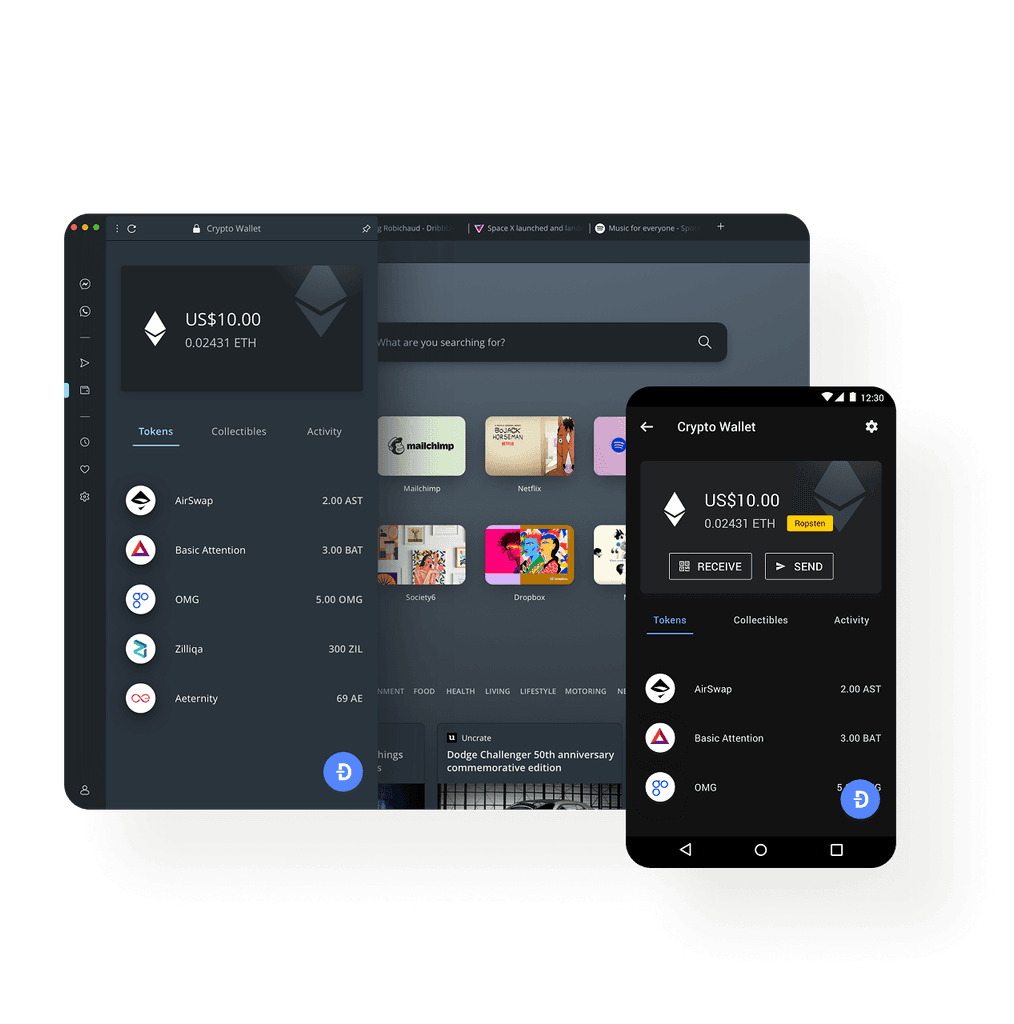
Designing Crypto WalletI wanted its layout and UI elements to be consistent with the Android version to make it more familiar to existing users. At the same time, I didn’t want it to stand out from the rest of Opera Desktop UI so I applied colours and typography from its style guide.